
Understanding AI Prompts: A Practical Beginner’s Guide for Businesses
If you’ve ever wondered:
- What exactly is a prompt?
- Why do some AI responses work better than others?
- How can my business use AI more effectively?
…this guide is for you.
What Is an AI Prompt?
In simple terms, a prompt is the instruction, question, or request you give to an AI system in order to receive a response.
You can think of it like giving directions to a person. The clearer your instructions are, the better the result is likely to be.
Examples of prompts include:
- “Summarise these meeting notes into action points.”
- “Write a professional reply to a customer complaint.”
- “Explain cyber security in simple terms.”
- “Create a checklist for onboarding new employees.”
The AI analyses the prompt and uses its training to generate the most relevant response it can.
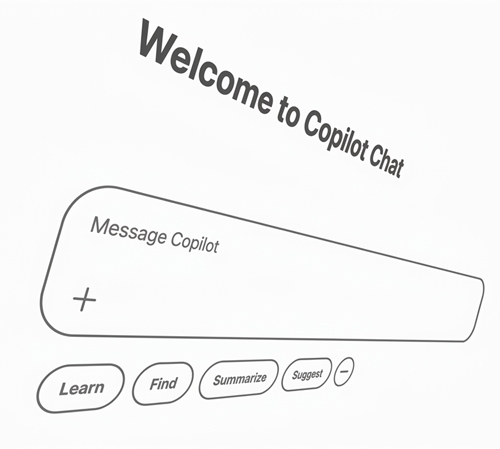
Why Are AI Prompts Important?
Many people assume AI tools simply “know what you mean,” but the quality of the output often depends heavily on how the prompt is written.
A vague prompt may produce a vague response.
For example:
Basic Prompt
“Help me write an email.”
This gives the AI very little information to work with.
Whereas:
Better Prompt
“Write a friendly follow-up email to a customer after an IT support call, thanking them for their time and asking whether their issue has been resolved.”
This provides:
- A clear purpose
- The intended audience
- The tone of voice
- The context of the email
The more useful information you provide, the more accurate and relevant the AI response is likely to be.

How Do AI Tools Actually Use Prompts?
When you enter a prompt into an AI assistant, the system breaks down your request into smaller pieces to understand:
- The topic
- The context
- The intent
- The desired format
For example, if you ask:
“What’s the weather like in London today?”
The AI identifies:
- “weather”
- “London”
- “today”
It then uses available information and language patterns to generate an appropriate answer.
With business-focused AI tools, prompts can also be used to:
- Draft emails
- Summarise meetings
- Generate reports
- Brainstorm ideas
- Analyse or create documents
Why Do Some AI Responses Feel More Helpful Than Others?
The biggest reason is usually the quality of the prompt itself.
AI tools work best when prompts include:
- Clear instructions
- Relevant context
- Specific goals
- Desired tone or format
For example:
Level 1 Prompt
“Help with marketing.”
Level 2 Prompt
“Suggest five LinkedIn post ideas for a UK electrical services company targeting landlords and property companies.”
The second prompt gives the AI enough detail to provide a far more useful answer.
Level 3 Prompt
"We are a small Electrical services company wanting to target landlords and property management companies. Identify their top 5 pain points in the electrical area and suggest 5 LinkedIn posts on how we can help. "
Can Businesses Use AI Safely?
Yes, but businesses should still think carefully about data security and privacy when using AI tools.
If you're connecting AI to your data, get the data organised, and secured first!
Ensure your staff aren't using unauthorised or shadow AI, especially when it comes to:
- Customer information
- Financial records
- Confidential internal documents
- Passwords or security data
Organisations such as the National Cyber Security Centre provide useful guidance on safe technology use and cyber security best practices:
Businesses should also ensure employees understand:
- Which AI tools are approved for use
- What data can safely be shared
- How AI-generated content should be reviewed and who is accountable for what is produced
Get yourself an AI policy and make sure everyone is on board!

Are AI Tools Replacing People?
In most business environments, AI should be viewed as a way to empower employees rather than replace them.
AI can help automate repetitive tasks and save time, but human oversight remains important, particularly when accuracy, customer communication, or decision-making is involved.
Educate your staff how and when to use AI. It can be a wonderful tool that boosts productivity and raises the level of what staff can do. Or it can be a tool to shortcut tasks and reduce the quality of output. Which is up to you!
Practical Tips for Writing Better AI Prompts
If you’re new to AI or want to improve you prompts, here are a few simple ways to improve results:
Be Specific
Explain exactly what you want.
Include Context
Mention your audience, industry, or goal.
Explain it's role
How should it respond?
- As a marketing expert
- Explain like i'm 5
- A business expert who challenges everything
Mention Tone of Voice
Should the response sound:
- Professional?
- Friendly?
- Technical?
- Simple and easy to understand?
Ask Follow-Up Questions
AI conversations often improve through refinement and clarification.
Get Challenged
Make sure your AI isn't just telling you every idea is great - ask it to challenge you - try adding KILLCRITIC to your prompt.
Role Play
Tell it the argument you want to make, and ask it to play the other side
Control the questions
When asking follow-up questions, do you want them one at a time, limited to x number, direct, from a specific angle?
Refine vs Accept
You don't have to accept it's first response, ask for refinement. More direct, Explain section 1 in more detail, Add examples to the 2nd paragraph.
AI Is Becoming Part of Everyday Business
AI tools are evolving quickly, and many businesses are still learning how to use them effectively.
Understanding prompts is one of the easiest ways to improve your experience with AI systems and unlock more value from tools like Microsoft Copilot, Claude, and ChatGPT.
We believe technology should feel approachable and useful not overwhelming. That’s why we regularly share practical guidance to help businesses better understand the tools they use every day.
Prompt Tips
- Got an idea, ask your AI to challenge you on it.
- Play the other side of the argument
Final Thoughts
AI is no longer just a futuristic concept, it’s becoming a practical business tool used by organisations of all sizes.
Learning how prompts work is one of the first steps towards using AI more effectively, improving productivity, and getting better results from modern technology tools.
And like most technology, the key is often not just having the tool, but knowing how to use it well.

Managed Services
Take a look at our Managed services to see how we can help you

Educated = Productive
As well as managed services, we offer FREE monthly webinars for anyone to join

Latest Managed Services News
Our blog has lots of posts related to Managaed IT Services, take a look